If you’re worried someone may be secretly monitoring your phone, learning how to detect spyware on Android is essential. Spyware can track your calls, read messages, access your location, and even record audio without your knowledge.
Many spyware apps run silently in the background, making them difficult to notice. Fortunately, there are several warning signs and detection methods that can help you identify suspicious activity on your device.
In this guide, you’ll learn how to detect spyware on Android, the warning signs to look for, and the best methods to protect your phone from hidden monitoring apps.
What Is Spyware on Android?
Spyware is a type of malicious software designed to secretly monitor a device. Once installed on an Android phone, spyware can collect sensitive information such as:
- Text messages
- Call logs
- GPS location
- Browsing history
- Photos and files
- Microphone recordings
Some spyware apps are disguised as normal applications, which makes detecting spyware on Android more challenging. According to Google’s official Android security guidelines, users should regularly review app permissions and remove suspicious apps.
7 Signs Your Android Phone May Have Spyware
Before running detection tools, it’s important to recognize the common warning signs.
1. Unusual Battery Drain
Spyware often runs continuously in the background. If your battery suddenly drains much faster than usual, it could indicate hidden monitoring activity.
2. Phone Overheating
If your phone becomes hot even when you’re not using it, spyware might be running background processes.
3. High Data Usage
Spyware frequently sends collected information to external servers. If you notice unexpected spikes in mobile data usage, it may be a sign of spyware.
4. Unknown Apps Installed
Some spyware apps disguise themselves with generic names. Check your installed apps list for unfamiliar applications.
5. Strange Pop-ups or Ads
Unexpected pop-ups or suspicious ads may indicate malicious software.
6. Phone Running Slower Than Normal
Spyware consumes system resources, which can cause noticeable performance issues.
7. Unusual Phone Behavior
Random restarts, apps opening by themselves, or strange notifications could indicate spyware activity.
If you notice multiple signs from this list, it may be time to investigate further. According to Google’s Android security guidelines, users should regularly review app permissions and remove suspicious apps.
How to Detect Spyware on Android (Step-by-Step)
Here are the most effective ways to check your device.
1. Check Installed Apps
One of the simplest ways to detect spyware on Android is by reviewing installed apps.
Steps:
- Open Settings
- Tap Apps
- Select See All Apps
- Look for unknown or suspicious applications
If you find an app you don’t recognize, research it before removing it.
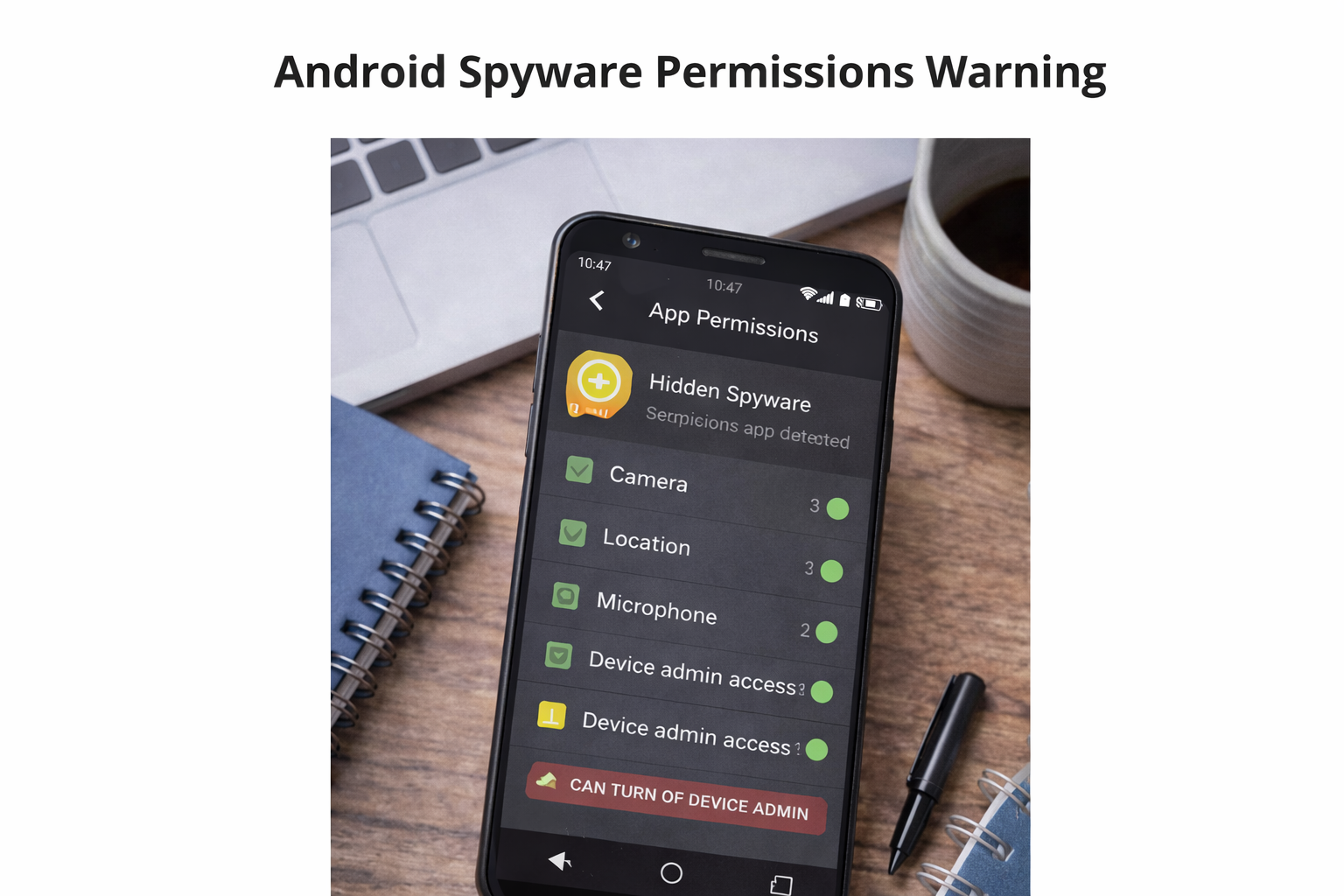
2. Check App Permissions
Spyware often requests excessive permissions.
To check permissions:
- Go to Settings
- Tap Privacy
- Select Permission Manager
Look for apps that have access to:
- Microphone
- Camera
- Location
- SMS messages
If a suspicious app has these permissions, it may be spyware.
3. Monitor Data Usage
Spyware sends collected data over the internet.
To check data usage:
- Open Settings
- Tap Network & Internet
- Select Data Usage
- Review which apps are consuming data
Unusual data usage from unknown apps can be a warning sign.
4. Run a Security Scan
The easiest way to detect spyware on Android is by using security software.
Reliable mobile security apps can scan your device and identify suspicious programs.
Some trusted options include:
- Malwarebytes
- Bitdefender Mobile Security
- Avast Mobile Security
These tools can detect hidden spyware and remove malicious apps.
5. Check Device Administrator Apps
Some spyware apps gain special permissions to prevent removal.
To check administrator access:
- Open Settings
- Tap Security
- Select Device Admin Apps
Disable access for any unknown apps.
How to Protect Your Android Phone from Spyware
Once you detect spyware on your Android phone, it’s important to take steps to prevent it from happening again.
Here are some important tips to keep your device safe:
- Install apps only from the Google Play Store
- Avoid clicking suspicious links in emails or messages
- Keep your Android operating system updated
- Use reliable anti-spyware apps
- Review app permissions regularly
These steps can significantly reduce the risk of spyware infections and protect your personal information.
How to Remove Spyware from Android
If you detect spyware, you should remove it immediately.
Basic removal steps:
- Uninstall suspicious apps
- Run a mobile security scan
- Remove unknown administrator permissions
- Update your Android system
- Restart your device
For detailed instructions, see our guide on how to remove spyware from Android.
How to Protect Your Android Phone from Spyware
Preventing spyware is easier than removing it.
Follow these security tips:
Only Install Apps from Google Play
Avoid downloading apps from unknown sources.
Check App Permissions Carefully
Always review what access an app requests before installing it.
Keep Android Updated
Security updates help protect against new spyware threats.
Use Mobile Security Apps
Security apps can detect spyware early and prevent infections.
Avoid Suspicious Links
Malicious links can install spyware without your knowledge.
Knowing how to detect spyware on Android is essential for protecting your privacy and personal data. Spyware can secretly monitor your activity, steal sensitive information, and compromise your security.
By checking installed apps, reviewing permissions, monitoring data usage, and using reliable security tools, you can quickly identify spyware and remove it from your device.
Regularly monitoring your phone and following basic security practices will help keep your Android device safe from spyware threats.
If you’re wondering how to detect spyware on Android, start by checking installed apps and monitoring unusual phone activity.
Learning how to detect spyware on Android early can help protect your personal data and prevent unauthorized monitoring.
Understanding how to detect spyware on Android is important for protecting your privacy and personal data.
If you suspect monitoring software, learning how to detect spyware on Android can help you remove threats before they cause serious damage.
Conclusion
Detecting spyware on your smartphone is essential to protect your privacy and personal data. Learning how to detect spyware on Android can help you identify suspicious activity before it becomes a serious security threat.
If you notice unusual signs such as rapid battery drain, unknown apps, or increased data usage, it may indicate hidden monitoring software. By regularly checking installed apps, reviewing permissions, and using trusted security tools, you can reduce the risk of spyware on your device.
Taking proactive steps today will help keep your Android phone secure and ensure that your personal information remains protected from unauthorized access.
Frequently Asked Questions (FAQ)
1. How do I know if my Android phone has spyware?
Some common signs that your Android phone may have spyware include unusual battery drain, high data usage, unknown apps installed on your device, and your phone overheating frequently. If you notice these issues, it’s a good idea to check your installed apps and run a security scan.
2. Can spyware be hidden on Android phones?
Yes, spyware can sometimes run silently in the background without showing a visible icon. Many spyware apps disguise themselves as system tools or harmless applications, making them difficult to detect without checking app permissions and device activity.
3. What is the best way to detect spyware on Android?
The best way to detect spyware on Android is by reviewing installed apps, monitoring unusual phone behavior, checking app permissions, and using reliable mobile security apps that scan for hidden threats.
4. Can antivirus apps detect spyware on Android?
Yes, many reputable mobile security apps can detect and remove spyware from Android devices. These apps scan your phone for suspicious activity, hidden apps, and malicious software that may compromise your privacy.
5. How can I protect my Android phone from spyware?
To protect your Android phone from spyware, install apps only from trusted sources like the Google Play Store, regularly update your device, avoid suspicious links, and review app permissions frequently.
Leave a Reply