Secure laptop camera protection is essential for protecting your privacy in today’s digital world. Many cybercriminals attempt to spy through webcams using spyware or malware. Learning how to secure laptop camera access properly can help prevent unauthorized surveillance and keep your personal information safe. Securing your laptop camera is essential for protecting your privacy in today’s digital world. Cybercriminals can sometimes access webcams through malware or spyware, making it important to understand how to secure your laptop camera properly. With remote work, online learning, and video conferencing becoming part of everyday life, webcams are now a standard feature on almost every laptop. While these built-in cameras make communication easier, they can also introduce serious privacy risks if they are not properly protected. Learning how to secure your laptop camera is essential for protecting your privacy. Cybercriminals can sometimes access webcams through malware or spyware, which makes webcam security an important part of personal cybersecurity.
Many people never think about how to secure their laptop camera, but cybercriminals are increasingly exploiting webcams through spyware and malicious software. In some cases, attackers can remotely activate a webcam and observe users without their knowledge.
Learning how to secure your laptop camera properly is therefore essential for protecting your personal privacy, preventing unauthorized surveillance, and keeping your digital life safe.
This guide explains the most effective ways to secure your laptop camera, prevent webcam spying, and reduce the risk of cyberattacks targeting your device. According to cybersecurity experts at the Electronic Frontier Foundation, using a physical webcam cover is one of the safest ways to prevent webcam spying.
Table of Contents
1. Why Securing Your Laptop Camera Is Important
A laptop webcam is directly connected to your computer’s operating system. If an attacker gains access to your system, they may also gain control of the camera.
This type of attack is often carried out using spyware or Remote Access Trojan (RAT) malware, which allows hackers to control a victim’s computer remotely. Once installed, this malicious software can activate the webcam, record video, and even capture screenshots without the user noticing. If you want to understand how attackers control webcams remotely, you should also learn about Remote Access Trojan (RAT) malware and how it works.
Unauthorized webcam access can lead to serious privacy violations. Attackers may observe your surroundings, record personal conversations, or collect sensitive information visible in the background.
Many people assume the webcam indicator light will always warn them if the camera is active. However, this is not always reliable. Some advanced attacks may bypass or manipulate the indicator system.
If you want to better understand these threats, you can also explore what Remote Access Trojan (RAT) malware is and how it works, which is one of the most common methods hackers use to spy on webcams.
Because of these risks, it is important to take proactive steps to secure your laptop camera and prevent unauthorized access. If you want to find more about webcam exploitation please read my article.
2. Why You Should Secure Laptop Camera
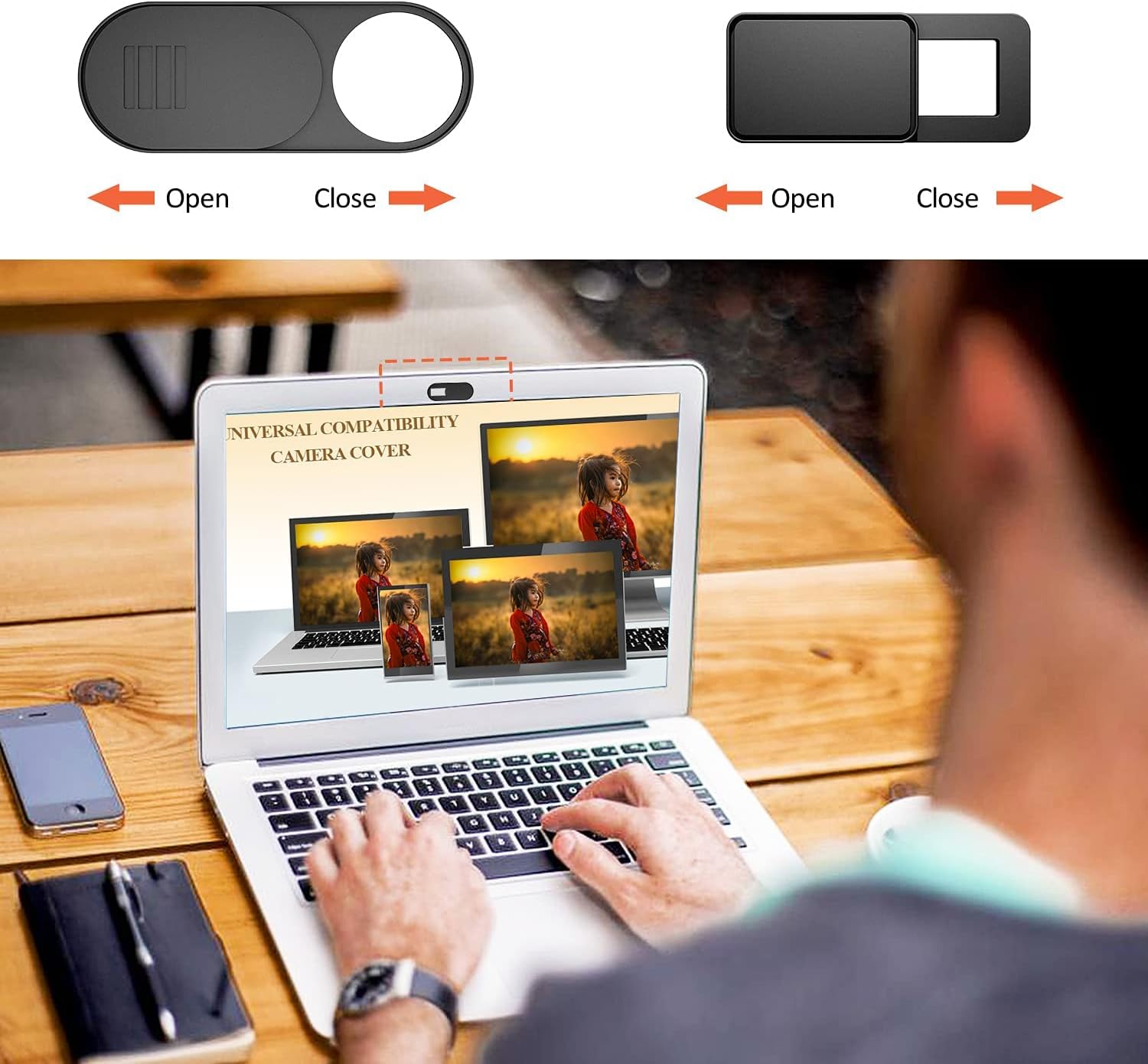
One of the easiest and most effective ways to secure your laptop camera is by using a physical webcam cover.
A webcam cover is a small sliding accessory that attaches to the top of your laptop screen and blocks the camera lens when it is not in use. When you need to use the camera for a meeting or video call, you simply slide the cover open.
Because this method physically blocks the lens, it prevents anyone from seeing through the camera even if malware attempts to activate it.
Many cybersecurity experts recommend webcam covers because they provide protection that software alone cannot bypass.
If you do not have a webcam cover available, a small piece of tape can serve as a temporary solution. Although it may not look as polished, it effectively blocks the camera. Using a webcam cover is one of the easiest ways to secure laptop camera access and prevent hackers from spying through your webcam.
Physical protection remains one of the most reliable ways to block webcam spying and protect your privacy.
3. Manage Camera Permissions on Your Laptop
Another important step to secure your laptop camera is managing which applications have permission to use it.
Modern operating systems such as Windows and macOS include privacy settings that allow users to control camera access. This feature ensures that only approved applications can activate the webcam.
Reviewing these permissions regularly helps prevent unknown or suspicious programs from accessing your camera.
How to Check Camera Permissions on Windows
- Open Settings
- Select Privacy & Security
- Click Camera
- Review which applications have access
How to Check Camera Permissions on macOS
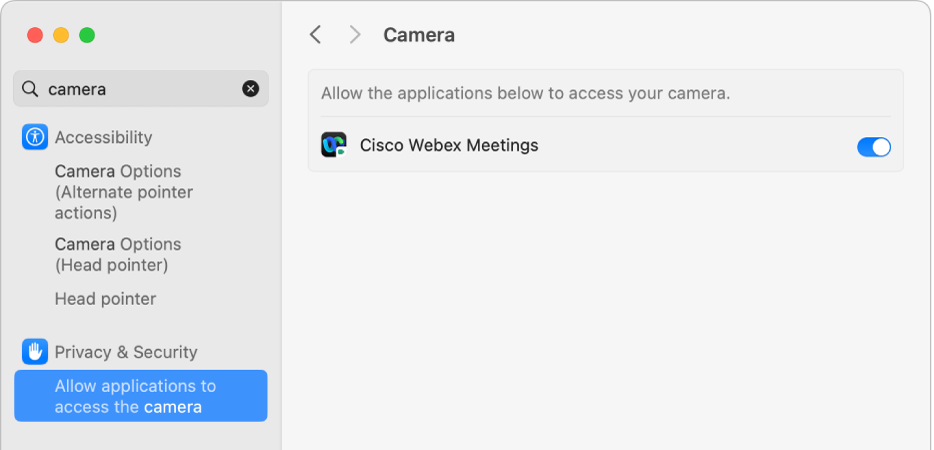
- Open System Settings
- Select Privacy & Security
- Click Camera
- Enable access only for trusted apps
Limiting camera access reduces the chances that malware or unwanted programs will be able to activate your webcam.
4. Disable Your Webcam When It Is Not Needed
If you rarely use your laptop camera, disabling it completely can be an effective security measure.
Most laptops allow users to disable the webcam through the device management settings in the operating system. Once disabled, no applications will be able to use the camera until it is manually enabled again.
This method provides an additional layer of protection because even if malware attempts to access the camera, the operating system will block the request.
Although it requires enabling the camera again before video calls, disabling the webcam significantly reduces the risk of unauthorized surveillance.
5. Keep Your Operating System and Software Updated
Keeping your operating system updated is essential for maintaining strong cybersecurity protection.
Software updates often include security patches that fix vulnerabilities discovered by developers and security researchers. Cybercriminals frequently exploit outdated systems because they contain known weaknesses.
Installing updates regularly helps prevent attackers from exploiting these vulnerabilities to gain access to sensitive system features such as the webcam.
Enabling automatic updates ensures your device always receives the latest security protections without requiring manual action.
6. Install Reliable Antivirus and Anti-Malware Protection
Security software plays an important role in protecting your laptop from spyware and malware that may attempt to access your webcam.
Modern antivirus programs monitor system activity and detect suspicious behavior. Many security tools also include features that alert users when an application tries to activate the camera.
Running regular malware scans can help detect hidden threats before they compromise your device. Security software can help detect spyware that attempts to access your webcam and helps you secure laptop camera activity from malicious programs.
Reliable security software, combined with safe browsing habits, provides an additional layer of protection against webcam spying.

7. Avoid Suspicious Downloads and Phishing Emails
Many webcam hacking incidents occur because users accidentally install malware on their computers.
Attackers often distribute spyware through phishing emails, malicious downloads, or fake software updates. Once installed, the malware may allow hackers to remotely control the device.
To protect your webcam and your computer:
- Download software only from official websites
- Avoid clicking suspicious links
- Verify unknown email attachments before opening them
- Use security tools that detect phishing attempts
Practicing safe browsing habits greatly reduces the chances of installing malicious software.
If you are concerned about hidden spyware, it is also useful to understand whether hackers can access your webcam without the light turning on, which is another common concern among laptop users.
8. Monitor Webcam Activity and System Behavior
Most laptops include an indicator light that turns on when the webcam is active. This feature is designed to alert users if the camera is being used.
However, it is important not to rely solely on this indicator. Advanced malware may attempt to manipulate system settings or hide suspicious activity.
If you notice unusual camera behavior, unexpected system slowdowns, or unknown programs requesting camera access, it may be necessary to run a malware scan or review installed software.
Monitoring your system regularly helps identify potential security threats before they cause serious problems.
9. Best Ways to Secure Laptop Camera From Hackers
Cybersecurity experts recommend taking multiple steps to secure laptop camera access and prevent hackers from spying through your webcam. While webcam hacking is not extremely common, it can occur when malware or spyware gains access to your device.
One of the most effective ways to secure laptop camera protection is by combining both physical and software security measures. This means protecting the camera itself while also ensuring your operating system and applications cannot allow unauthorized access.
Below are some of the most effective methods that can help you secure laptop camera access and protect your privacy.
1. Use a Webcam Privacy Cover
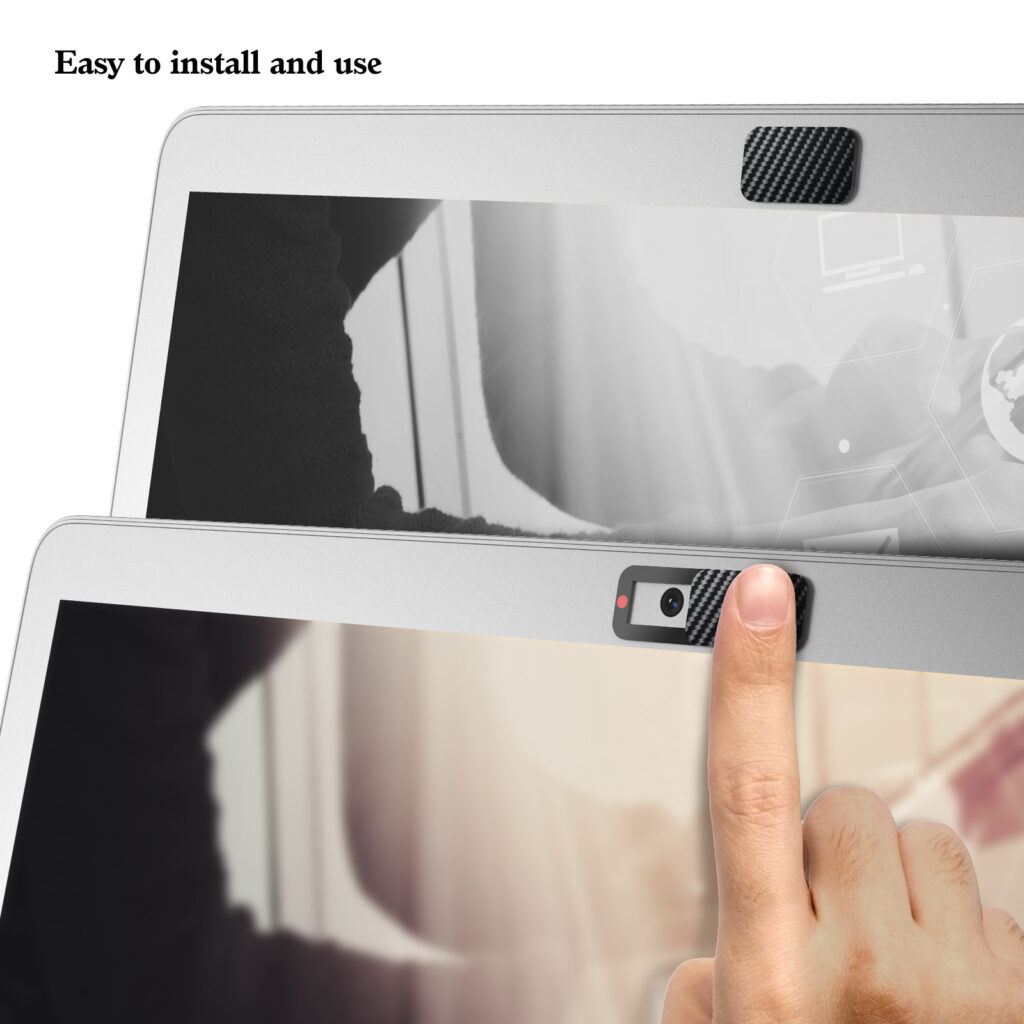
A webcam privacy cover is one of the simplest tools to secure your laptop camera. These small sliding covers physically block the camera lens when it is not in use.
Even if malware attempts to activate the webcam, a physical cover prevents the camera from capturing images or video. Many security experts recommend webcam covers as a simple yet powerful privacy protection tool.
2. Check Camera Permissions Regularly
Another important step to secure laptop camera settings is reviewing which applications have permission to use the webcam. Some programs request camera access during installation, and users may approve it without realizing the potential risks.
Make sure that only trusted applications such as video conferencing software have permission to access the camera.
3. Keep Your Operating System Updated
Software updates often include important security patches that protect devices from newly discovered vulnerabilities. Hackers often target outdated systems because they contain weaknesses that can be exploited.
Regularly installing updates helps ensure your system remains secure and reduces the chances that attackers can access your webcam.
4. Install Reliable Security Software
Using trusted antivirus or anti-malware software adds another layer of protection. These security tools can detect spyware or suspicious programs that attempt to activate the webcam without permission.
Security software can help identify threats early and prevent attackers from gaining control of your device.
Final Thoughts: Protecting Your Laptop Camera and Privacy
Securing your webcam is an important step in protecting your digital privacy. Although webcams are useful for communication and collaboration, they can also become potential entry points for cybercriminals if left unprotected. Understanding how to secure laptop camera access is essential for protecting your privacy online.
By taking simple steps such as using a webcam cover, managing camera permissions, installing security software, and keeping your system updated, you can significantly reduce the risk of webcam spying. Taking simple steps to secure laptop camera access can significantly improve your online privacy and prevent cybercriminals from spying through your webcam.
Combining these strategies with safe browsing habits will help ensure that your laptop camera remains secure and under your control.
Understanding how to secure your laptop camera properly is not just about protecting a device—it is about protecting your privacy, personal information, and digital safety in an increasingly connected world.
Learning how to secure laptop camera access is an important step in protecting your digital privacy. By using simple security measures such as webcam covers, antivirus protection, and proper camera permissions, you can prevent hackers from spying through your webcam.
Leave a Reply