
Introduction
If you use Gmail daily (and let’s be honest—most of us do), your account holds a lot more than just emails. It’s often linked to banking, social media, work tools, and personal data.
That’s exactly why hackers target it.
In this guide, you’ll learn how to secure Gmail account from hackers using simple, proven steps—even if you’re not tech-savvy. Follow these steps once, and you’ll dramatically reduce your risk.
Learning how to secure Gmail account from hackers is essential if you want to protect your personal data and prevent unauthorized access.
Table of Contents
Why Gmail Accounts Get Hacked
Before fixing the problem, it helps to understand how it happens.
Most Gmail accounts are compromised due to:
- Weak or reused passwords
- Phishing emails
- No two-factor authentication (2FA)
- Third-party app access
- Public Wi-Fi usage without protection
Hackers don’t “break in” the way movies show—they exploit small mistakes.
If you ever have a question about signs your email has been hacked please check my article Signs Your Email Has Been Hacked (Warning Signs You Shouldn’t Ignore).
Step-by-Step Guide to Secure Your Gmail
Follow these proven steps if you want to fully understand how to secure Gmail account from hackers and keep your account safe.
Let’s walk through exactly what you should do today.
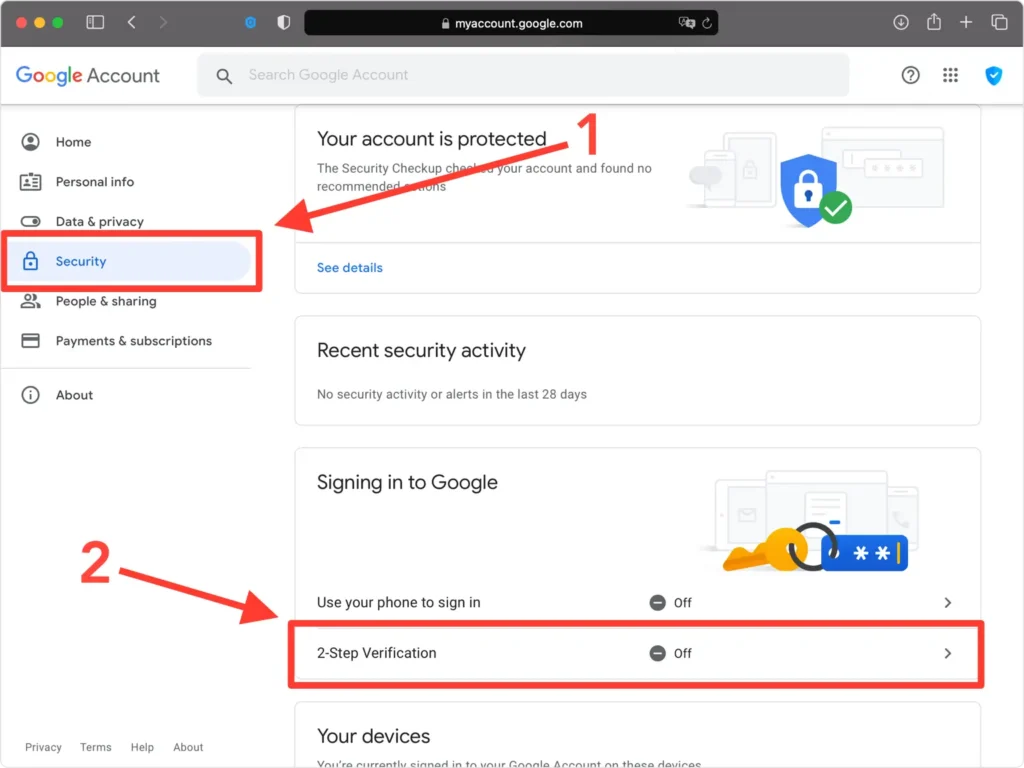
1. Enable 2-Step Verification (2FA)
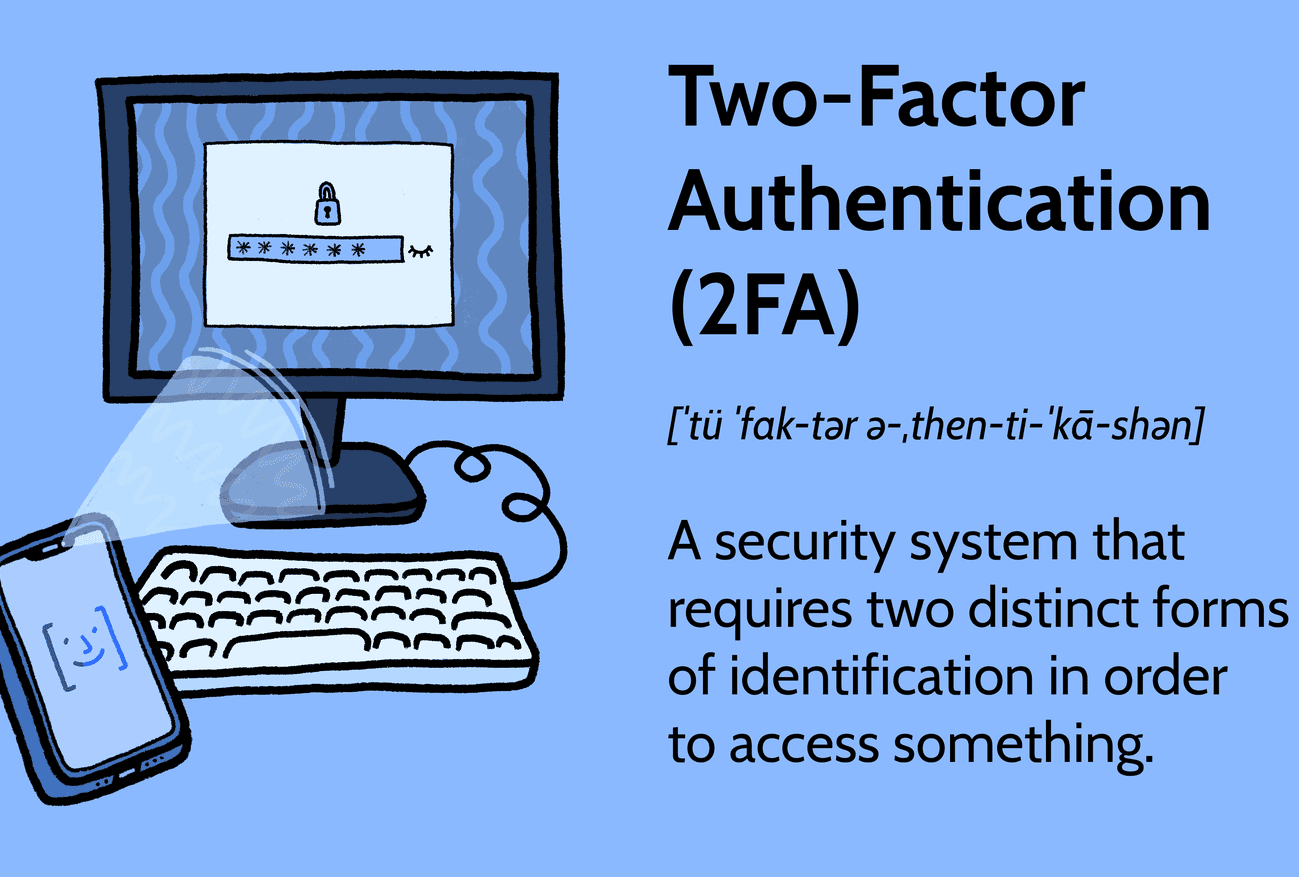
This is the single most important step.
Even if someone steals your password, they won’t be able to log in without your second verification method.
One of the most effective ways to learn how to secure Gmail account from hackers is by enabling two-factor authentication.
How to enable it:
- Go to: https://myaccount.google.com/security
- Click “2-Step Verification”
- Follow setup (phone, authenticator app, or security key)
For complete detailed guide please check my article
What Is Two-Factor Authentication (2FA)? (How It Protects Your Accounts).
2. Use a Strong Password
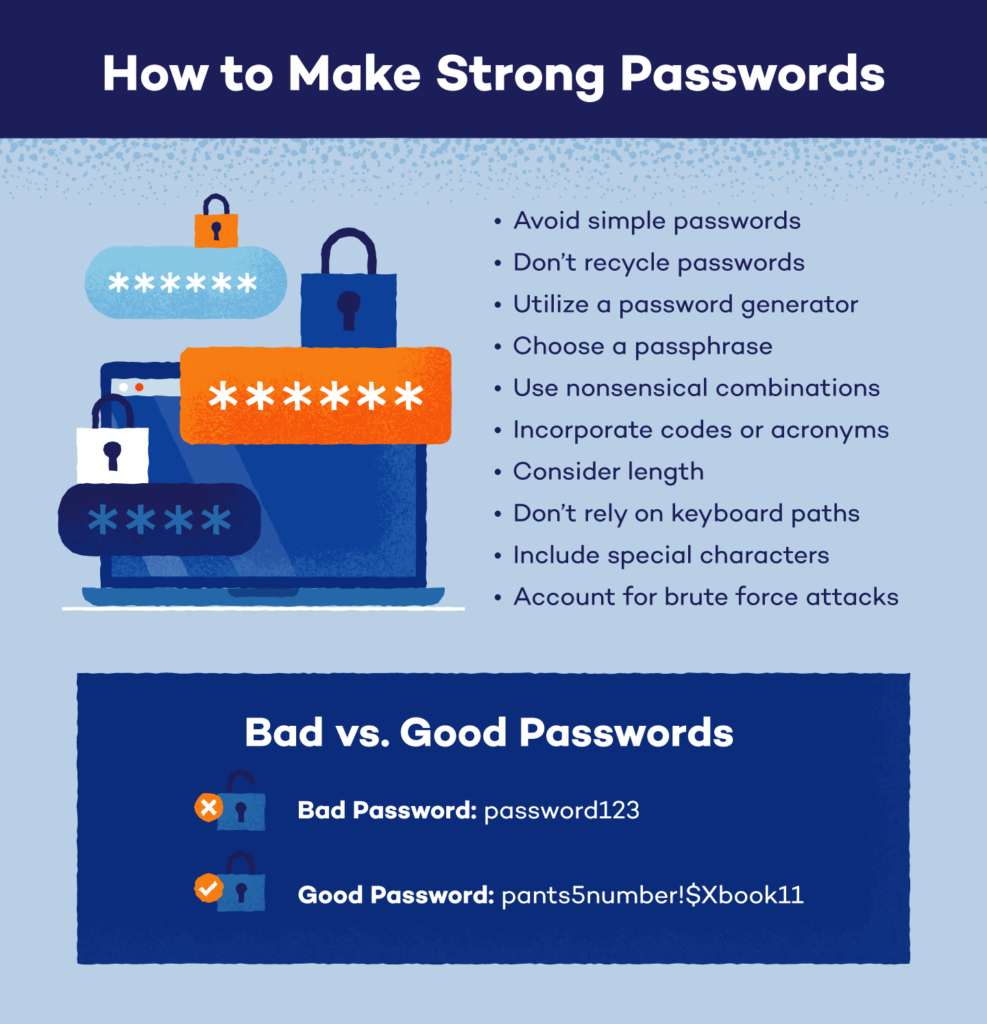
If your password is weak, nothing else matters.
Avoid:
- “password123”
- Your name or birthdate
- Reusing passwords from other sites
Instead, create something like:
T9$k!pL2#vQz@7
Or use a passphrase:
BlueTiger!Runs@Midnight42
We’ll cover this in detail below.
Using a strong password is a critical step in how to secure Gmail account from hackers and prevent brute-force attacks.
3. Check Recent Security Activity
Gmail shows all recent logins.
Steps:
- Go to Google Account → Security
- Click “Recent security activity”
- Look for unknown devices or locations
If anything looks suspicious:
- Click “Secure account” immediately
- Regularly checking your account activity is an important part of how to secure Gmail account from hackers before any damage occurs.
4. Remove Suspicious Third-Party Apps
Apps connected to your Gmail can access your data.
Check here:
https://myaccount.google.com/permissions
Remove:
- Apps you don’t recognize
- Old tools you no longer use
5. Turn On Security Alerts
Google can notify you instantly about:
- New logins
- Suspicious activity
- Password changes
Make sure notifications are enabled for:
- Mobile alerts
6. Update Recovery Options
If you ever lose access, this is your lifeline.
Add:
- A recovery email
- A phone number
Make sure they’re:
- Up to date
- Accessible
Strong Password Best Practices
A strong password is your first line of defense.
Here’s how to do it right:
Use Length Over Complexity
Long passwords are harder to crack than short complex ones.
Example:
- Weak:
P@ss1 - Strong:
CoffeeRain!MountainSky42
Never Reuse Passwords
If one site gets hacked, all your accounts are exposed.
Use a password manager like:
Avoid Personal Information
Hackers can find:
- Your birthday
- Pet names
- School
So don’t use them.
Change Password Regularly
Especially if:
- You clicked a suspicious link
- You logged in on a shared device
Please check my detailed article of How Hackers Crack Weak Passwords (Common Techniques Explained) .
Why 2FA is Essential for Gmail Security
Let’s be clear:
Without 2FA, your account is vulnerable.
2FA adds a second layer:
- Something you know (password)
- Something you have (phone/app)
Even if your password leaks, attackers are blocked.
Best 2FA methods:
- Authenticator apps (Google Authenticator, Authy)
- Security keys (most secure)
- SMS (better than nothing)
These steps will help you how to secure Gmail account from hackers effectively.
If you’re serious about learning how to secure Gmail account from hackers, start with 2FA.
Common Gmail Security Mistakes
Avoiding these mistakes can instantly improve your security. Avoiding these mistakes is key when learning how to secure Gmail account from hackers effectively.
1. Ignoring Security Alerts
Those emails from Google? Don’t ignore them.
2. Clicking Phishing Links
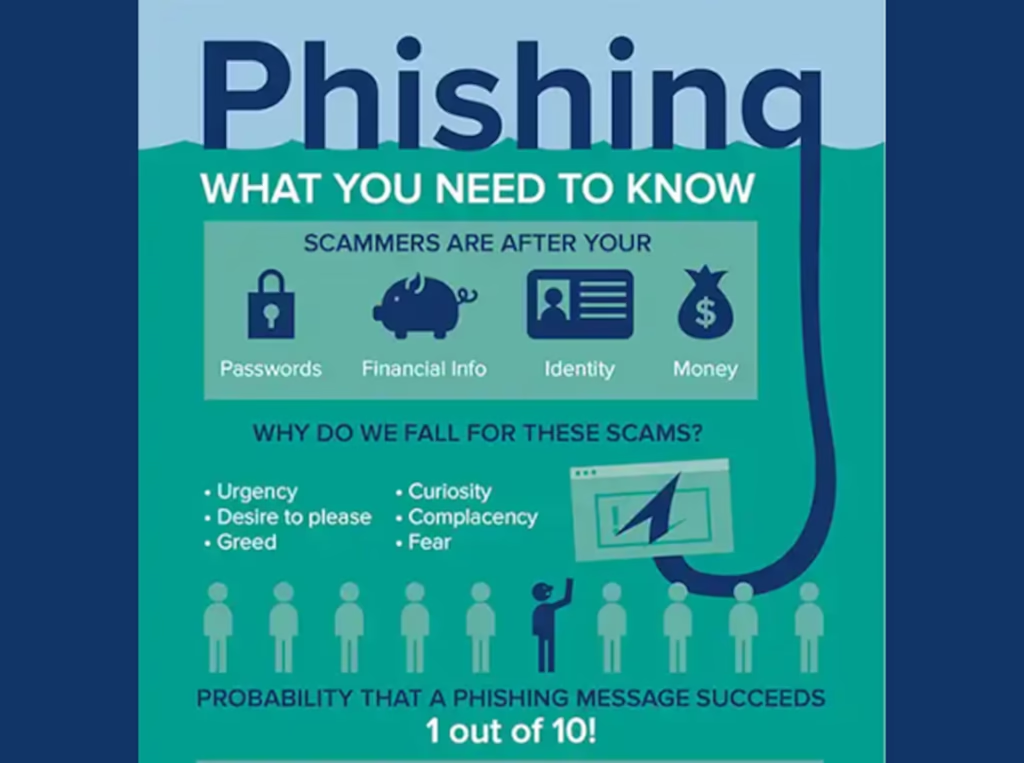
Fake emails often look like:
- “Your account will be deleted”
- “Unusual login attempt”
Always check the sender carefully.
3. Using Public Wi-Fi Without Protection
Hackers can intercept data on open networks.
Tip:
- Avoid logging into Gmail on public Wi-Fi
- Or use a VPN
4. Leaving Old Devices Logged In
Check devices regularly and remove:
- Old phones
- Shared computers
5. Not Updating Recovery Info
If your recovery email is outdated, you may lose access permanently.
What to Do If Your Gmail Is Already Hacked
Act fast.
Step 1: Try to Recover Your Account
Go here immediately:
https://accounts.google.com/signin/recovery
Step 2: Change Password
If you still have access:
- Change password immediately
- Log out of all devices
Step 3: Check Account Activity
Look for:
- Unknown emails sent
- Settings changes
- New forwarding rules
Step 4: Secure Connected Accounts
Your Gmail may be linked to:
- Banking
- Social media
Secure those next.
Please check my detailed guide to Recover Hacked Email Account in 7 Steps (Easy Guide).
If your account is compromised, knowing how to secure Gmail account from hackers can help you recover and prevent future attacks.
Final Thoughts
Learning how to secure Gmail account from hackers isn’t complicated—but it requires action.
If you do just three things today:
- Enable 2FA
- Use a strong password
- Review account activity
You’ll be ahead of most users.
Now that you understand how to secure Gmail account from hackers, take action today to protect your account from potential threats.
For broader protection strategies, check your pillar guide:
How to Protect Your Email Account from Hackers (10 Powerful Tips)
FAQs
1. Can Gmail be hacked easily?
Yes—if you use weak passwords or don’t enable 2FA. Most hacks happen due to user error, not advanced techniques.
2. Is 2FA really necessary?
Absolutely. It’s one of the most effective ways to prevent unauthorized access.
3. How do I know if my Gmail is hacked?
Signs include:
- Unknown login alerts
- Emails you didn’t send
- Password changes
4. How often should I change my Gmail password?
Every 3–6 months, or immediately after suspicious activity.
5. Are password managers safe?
Yes. Reputable ones use strong encryption and are far safer than reusing passwords.
Leave a Reply