Introduction
How to secure Outlook email account from hackers is essential in today’s digital world, especially if you want to protect your personal data, emails, and connected Microsoft services from cyber threats.
How to secure Outlook email account from hackers is one of the most important steps you can take to protect your personal data, emails, and connected accounts from cyber threats. Your Outlook account isn’t just for emails—it’s connected to your Microsoft services, files, and sometimes even your work environment.
That’s why hackers target it.
If you’re wondering how to secure Outlook email account from hackers, this guide will walk you through simple, effective steps to lock down your account and keep your data safe.
Table of Contents
Why Outlook Accounts Get Hacked
Most Outlook hacks happen due to avoidable mistakes, not advanced attacks.
Common causes include:
- Weak or reused passwords
- No two-factor authentication
- Phishing emails
- Unsafe login devices
- Third-party app access
Understanding these risks is the first step in learning how to secure Outlook email account properly.
Step-by-Step Guide to Secure Outlook Account
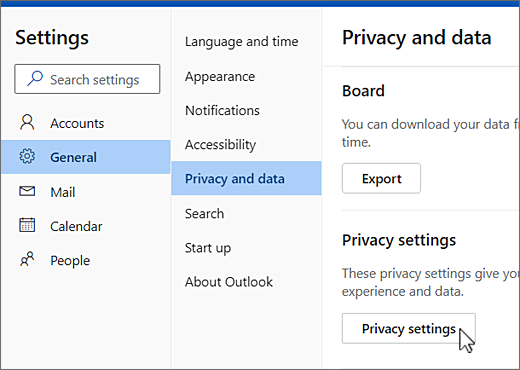
Follow these steps to fully secure your account.
1. Turn On Two-Factor Authentication (2FA)
This adds an extra layer of protection.
Even if someone gets your password, they won’t be able to log in.
How to enable it:
- Go to: https://account.microsoft.com/security
- Click Advanced security options
- Enable Two-step verification
Enabling two-factor authentication is one of the best ways to learn how to secure Outlook email account from hackers.
2. Use a Strong Password
A weak password is the easiest way to get hacked.
Use:
- At least 12–16 characters
- Mix of letters, numbers, symbols
- Passphrases instead of short passwords
Example:SkyBlue!RiverRuns2024
This is a crucial part of how to secure Outlook email account from hackers.
For understanding more about password hacks please check my previous article How Hackers Crack Weak Passwords (Common Techniques Explained).
3. Check Recent Activity
Microsoft tracks login activity.
Steps:
- Visit: https://account.microsoft.com/activity
- Review login attempts
- Flag suspicious activity
4. Remove Unknown Devices
Log out from:
- Old phones
- Shared computers
- Unknown devices
This ensures no one else has access.
5. Review Connected Apps
Third-party apps can access your email.
Check:
You can review and remove connected apps from your Outlook account here: account.live.com/consent/Manage
Remove anything suspicious.
6. Enable Security Alerts
Turn on alerts for:
- New logins
- Password changes
- Unusual activity
This helps you act fast.
7. Update Recovery Information
Add:
- Recovery email
- Phone number
Make sure they are always up to date. These steps are essential if you want to fully understand how to secure Outlook email account from hackers effectively.
Use Strong Passwords for Outlook
Let’s go deeper.
Best Practices:
- Use a password manager
- Never reuse passwords
- Avoid personal info
- Update regularly
Tools:
A strong password is the foundation of how to secure Outlook email account from hackers. A strong password plays a key role in how to secure Outlook email account from hackers and prevent unauthorized access.
Enable Two-Factor Authentication (2FA)
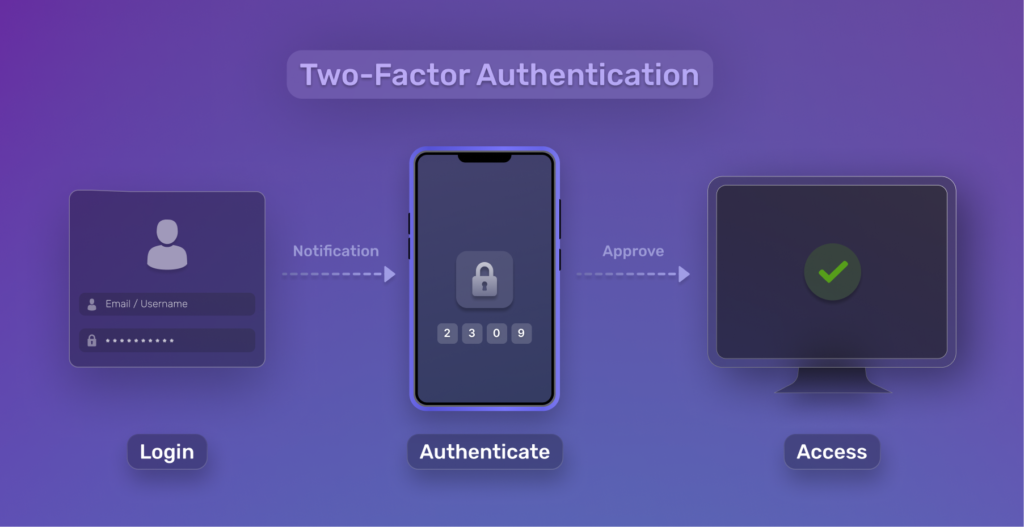
If you skip this, your account is vulnerable.
2FA protects you by requiring:
- Your password
- A verification code
Best options:
- Authenticator app (recommended)
- SMS backup
- Security key
To understand this better, read our guide on what is 2FA and how it works to protect your accounts.
Check Outlook Account Activity
Regular monitoring helps you detect threats early.
Look for:
- Unknown locations
- Strange login times
- Devices you don’t recognize
This step is often overlooked but critical in how to secure Outlook email account.
Remove Suspicious Devices & Apps
Hackers often gain access via apps.
Remove:
- Unknown permissions
- Old integrations
- Suspicious services
Common Outlook Security Mistakes
Avoid these common errors:
1. Ignoring Security Notifications
Always review alerts from Microsoft.
2. Clicking Phishing Emails
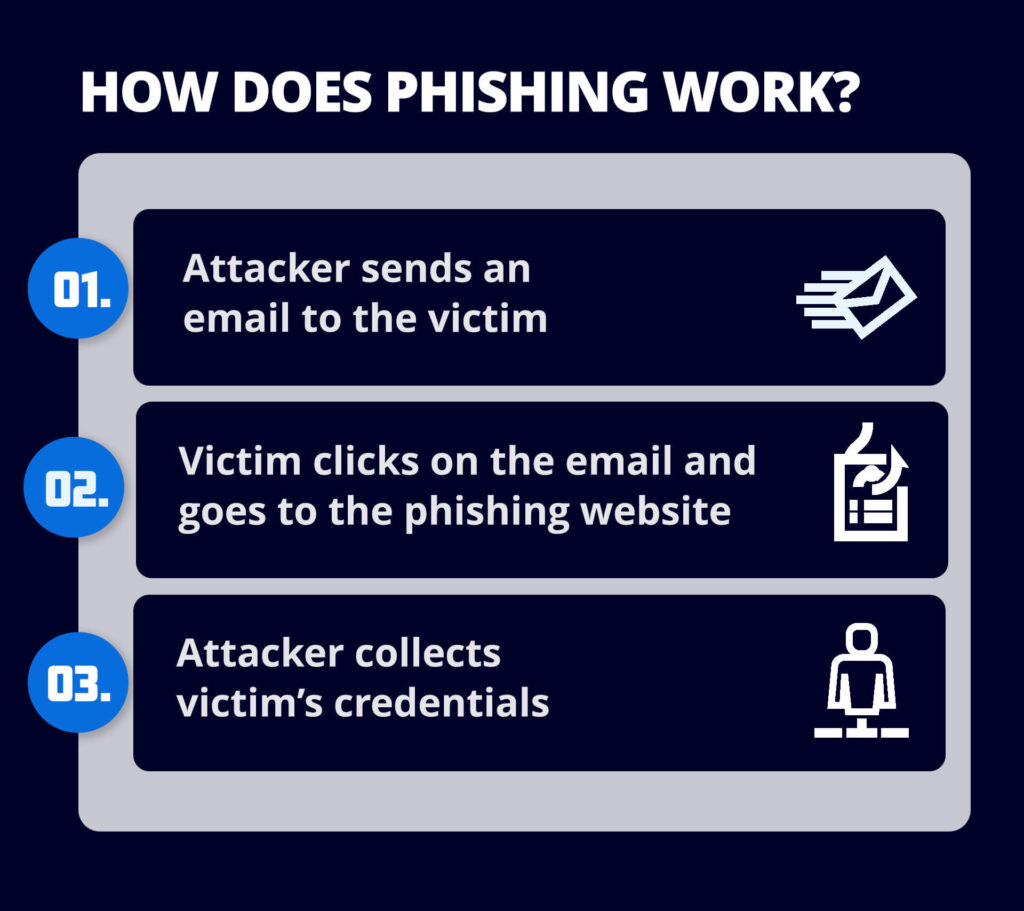
Fake emails often mimic Microsoft login pages.
3. Using Public Wi-Fi
Avoid logging in on unsecured networks.
4. Not Using 2FA
This is one of the biggest mistakes.
5. Reusing Passwords
One breach = multiple accounts compromised.
What to Do If Your Outlook Account Is Hacked
Act immediately.
Step 1: Recover Your Account
https://account.live.com/password/reset
Step 2: Change Your Password
Make it strong and unique.
Step 3: Review Activity
Check for suspicious changes.
Step 4: Secure Connected Accounts
Your Outlook may be linked to:
- Microsoft services
- Banking
- Social media
If your account is already compromised, follow our step-by-step guide to recover hacked email account safely and quickly.
Additional Outlook Security Tips
If you really want to master how to secure Outlook email account from hackers, follow these extra tips:
- Always sign out from shared devices
- Avoid saving passwords in browsers
- Use Microsoft Authenticator instead of SMS
- Regularly update your devices and apps
- Never click unknown email attachments
Final Thoughts
Knowing how to secure Outlook email account from hackers is essential in today’s digital world.
Start with:
- Strong password
- 2FA
- Activity monitoring
These steps alone can prevent most attacks.
Now that you know how to secure Outlook email account from hackers, take action today to protect your account.
If you’re serious about learning how to secure Outlook email account from hackers, you should regularly review your security settings and update your protection methods.
You can also check our complete guide on how to protect your email account from hackers for broader security tips.
FAQs
1. Can Outlook accounts be hacked easily?
Yes, especially without 2FA or with weak passwords.
2. Is Microsoft 2FA secure?
Yes, especially when using an authenticator app.
3. How do I know if my Outlook is hacked?
Look for:
- Login alerts
- Sent emails you didn’t write
- Password changes
4. How often should I update my Outlook password?
Every 3–6 months or after suspicious activity.
5. Are password managers safe?
Yes, they are safer than reusing passwords.
Leave a Reply