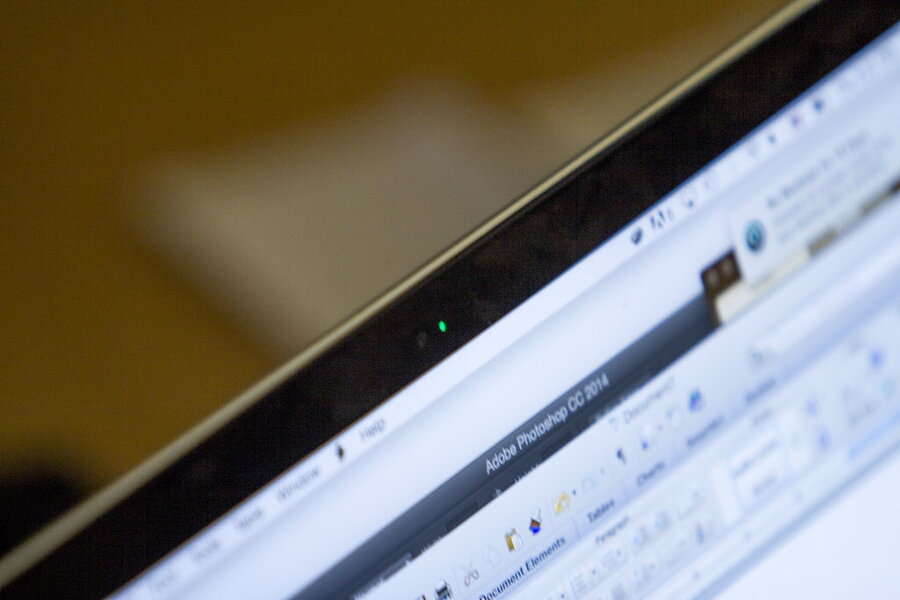
Signs your webcam has been hacked can help you detect suspicious activity early and protect your privacy before serious problems occur. Webcams are useful tools for video calls and online meetings, but they can also become privacy risks if hackers gain unauthorized access. Webcams have become an essential part of modern laptops and devices. They allow people to attend video meetings, communicate with friends and family, and participate in online learning. However, webcams can also create privacy risks if they are accessed without permission.
Many users worry about whether their camera could be controlled by hackers. In rare cases, malware or spyware can allow cybercriminals to secretly activate a device’s camera.
Learning the signs your webcam has been hacked can help you detect suspicious activity early and protect your privacy before serious problems occur. If you want stronger protection, you can also learn how to secure your laptop camera properly to prevent unauthorized access. Understanding the signs your webcam has been hacked can help you detect privacy threats before attackers gain full control of your device.
Table of Contents
Why Hackers Target Webcams
Cybercriminals may attempt to gain access to webcams through malware, spyware, or malicious software. Once a device becomes infected, attackers could potentially monitor activity or record video.
In most cases, hackers gain access to devices through:
- malicious downloads
- phishing emails
- fake software updates
- infected applications
Understanding these risks is important for protecting your devices. If you want to learn how attackers sometimes control cameras, you can also read whether hackers can access your webcam without the light on, which explains how webcam indicator lights work.
Signs Your Webcam Has Been Hacked
Below are some common warning signs that may indicate someone is trying to access your webcam without permission.
Webcam Indicator Light Turns On Unexpectedly
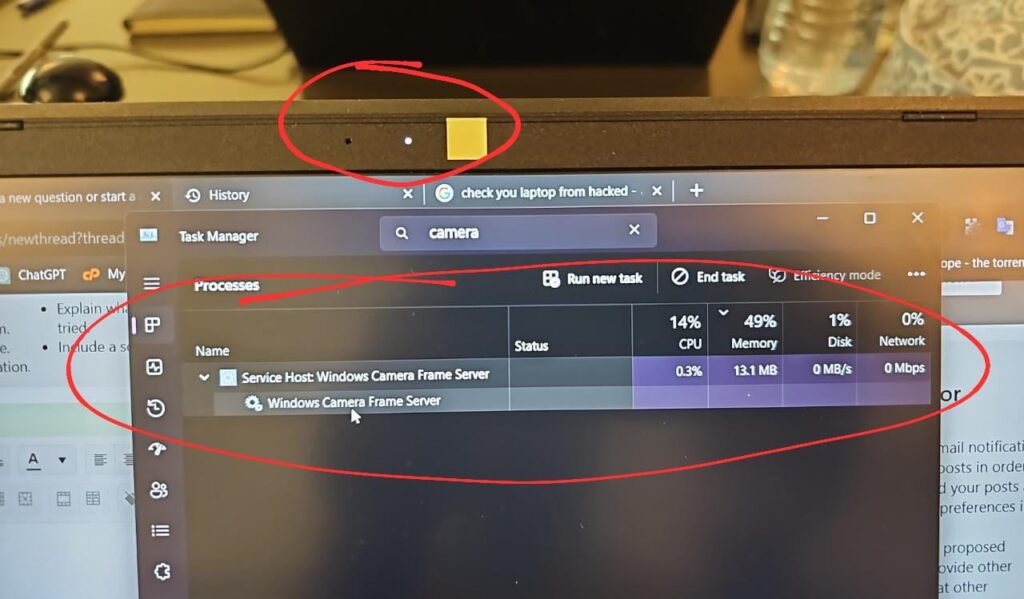
Most laptops include a small indicator light next to the webcam lens. This light normally turns on whenever the camera is being used.
If the webcam indicator light turns on when you are not using any video application, it could be a warning sign that another program is accessing the camera.
However, this does not always mean your webcam has been hacked. Sometimes background applications or browser permissions may activate the camera. Some users also wonder whether hackers can access your webcam without the light on, which explains how webcam indicator lights work.
Unknown Applications Request Camera Access
Operating systems allow users to control which applications can use the webcam.
If you suddenly notice unknown programs requesting permission to access the camera, this may indicate suspicious activity. Many users search for the signs your webcam has been hacked when they notice unusual webcam activity or unknown applications accessing their camera.
Users should regularly check camera permissions in their system settings and remove access for applications they do not recognize.
Unusual Files or Recordings on Your Device
Another possible sign your webcam has been hacked is discovering unknown video or image files stored on your computer.
Some malicious programs record footage from the webcam and save it locally before sending it to a remote attacker.
If you notice files you do not remember creating, it may be a good idea to run a malware scan immediately.
Security Software Detects Suspicious Activity
Modern antivirus programs monitor system activity and detect suspicious behavior.
If your security software reports spyware, malware, or unauthorized camera access attempts, it may indicate that your device is compromised.
Running regular scans and keeping your security software updated can help detect these threats early.
System Performance Suddenly Changes
A hacked device may sometimes show unusual behavior such as:
- slow performance
- unexpected system crashes
- unknown background processes
- sudden internet activity
While these issues can occur for many reasons, they may also indicate malware running in the background.
What To Do If Your Webcam Has Been Hacked
If you believe your webcam has been hacked, there are several steps you should take immediately to secure your device. First, disconnect your computer from the internet to stop any ongoing remote access attempts. This prevents hackers from continuing to monitor or control your device.
Next, run a full antivirus or anti-malware scan using trusted security software. Many modern security programs can detect spyware or Remote Access Trojans that may have infected your system.
You should also review your camera permissions and remove access for unknown applications. Keeping your operating system and security software updated is another important step, as updates often fix vulnerabilities that hackers exploit.
Finally, consider using a webcam privacy cover to physically block the camera lens when it is not in use. This simple solution provides an extra layer of protection against unauthorized webcam access. Recognizing the signs your webcam has been hacked early allows you to take action and protect your laptop from webcam spying.
How to Protect Your Webcam from Hackers
If you suspect suspicious activity, there are several steps you can take to improve your device security.
Use a Webcam Privacy Cover
A webcam cover physically blocks the camera lens when it is not in use. Even if malware attempts to activate the camera, the cover prevents video recording.
Install Reliable Antivirus Software
Security programs help detect spyware, malware, and Remote Access Trojans that may attempt to control your device.
Keep Your System Updated
Operating system updates often include security patches that protect against newly discovered vulnerabilities.
Review Camera Permissions
Checking application permissions ensures that only trusted programs can access the webcam.
Avoid Suspicious Downloads
Always download software from trusted sources and avoid opening attachments from unknown emails.
You can also explore the best ways to block webcam spying to improve your device privacy and stop unauthorized camera access.
Final Thoughts
Webcams are extremely useful tools, but they should always be used with proper security precautions. While webcam hacking is relatively uncommon, understanding the signs your webcam has been hacked can help users detect suspicious activity early.
By monitoring webcam activity, reviewing camera permissions, installing reliable security software, and practicing safe browsing habits, users can greatly reduce the risk of webcam spying. According to cybersecurity experts at CISA, keeping your devices updated and protecting camera access are important steps for preventing cyber threats.
Taking a few simple precautions can ensure that your webcam remains secure and your privacy stays protected.
Leave a Reply