The best password managers for email security help you protect your accounts from hackers by storing and generating strong passwords. If you’re serious about keeping your email safe, using a password manager is one of the smartest steps you can take.
Strong, unique passwords are essential—but remembering them all is nearly impossible. That’s where password managers help by securely storing and generating passwords for you.
Choosing the best password managers for email security ensures your accounts stay protected from modern cyber threats.
Table of Contents
What Is a Password Manager for Email Security?
A password manager is a tool that stores your passwords in an encrypted vault. You only need to remember one master password, and the tool handles the rest.
It can also generate strong passwords and automatically fill them when you log in.
Why You Need a Password Manager for Email Security
Your email account is the gateway to all your other accounts. If someone gains access to it, they can reset passwords and take control of your online identity.
A password manager helps by:
- Creating strong, unique passwords
- Preventing password reuse
- Protecting against phishing attacks
- Storing login details securely
Are Password Managers Safe for Email Security?
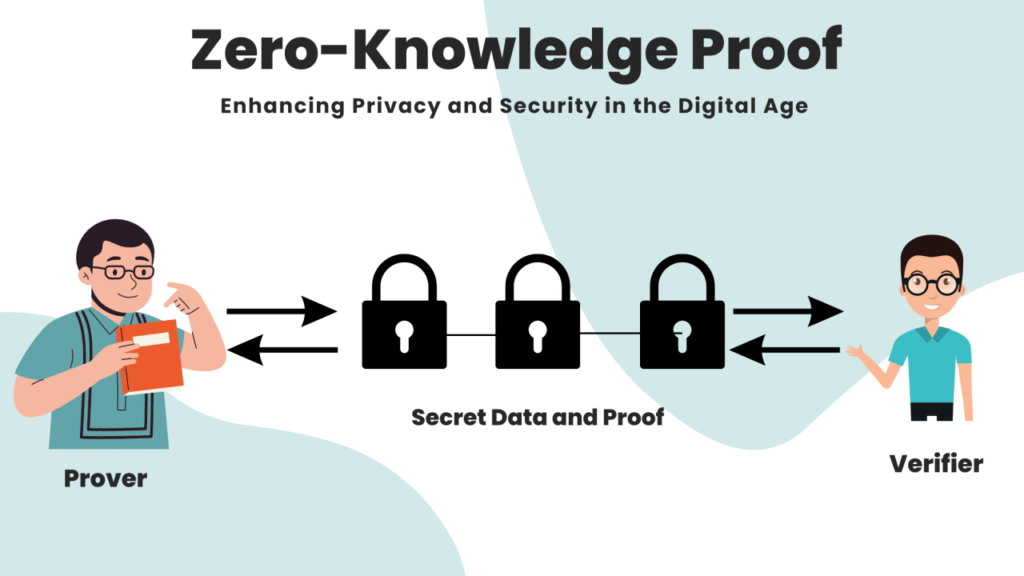
Yes, password managers are designed with strong encryption to keep your data secure. Most reputable tools use zero-knowledge architecture, meaning even the company cannot access your stored passwords.
However, you should always:
- Use a strong master password
- Enable two-factor authentication (2FA)
- Avoid sharing your login details
When used correctly, password managers are one of the safest ways to protect your email accounts.
Best Password Managers for Email Security (Top 5)
1. Bitwarden (Best Free Option)
Bitwarden is a popular open-source password manager with strong security features and a generous free plan.
Pros:
- Free plan available
- End-to-end encryption
- Works on all devices
Cons:
- Interface is simple
This is one of the best password managers for email security if you want both convenience and strong protection.
2. 1Password (Best for Ease of Use)
1Password is known for its clean interface and strong security features.
Pros:
- Very user-friendly
- Travel mode for extra privacy
- Strong encryption
Cons:
- No free plan
3. Dashlane (Best for Extra Features)
Dashlane includes additional tools like a VPN and dark web monitoring.
Pros:
- Built-in VPN
- Security alerts
- Easy to use
Cons:
- More expensive
4. NordPass (Best for Beginners)
NordPass is simple and beginner-friendly, making it ideal for new users.
Pros:
- Easy setup
- Clean interface
- Good free version
Cons:
- Limited features on free plan
5. LastPass (Popular Choice)
LastPass has been widely used for years and offers solid password management features.
Pros:
- Easy to use
- Browser integration
Cons:
- Some past security concerns
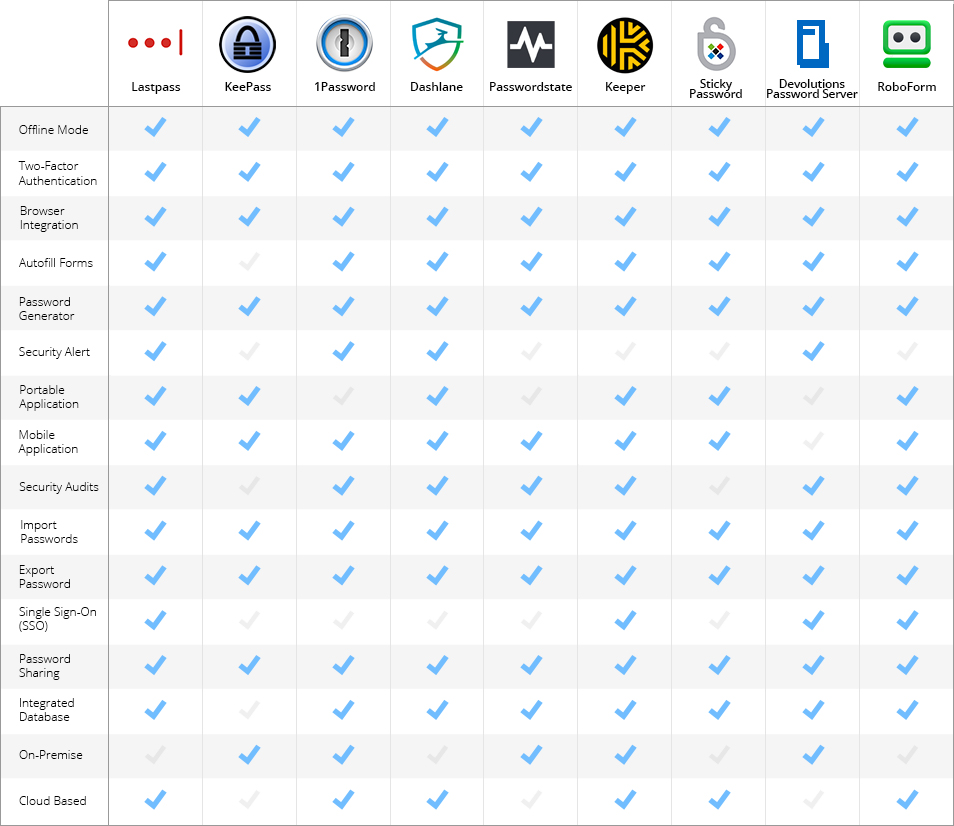
How to Choose the Right Password Manager
When choosing a password manager, consider:
- Security features
- Ease of use
- Device compatibility
- Free vs paid options
How Password Managers Work with 2FA
For maximum security, combine a password manager with two-factor authentication (2FA).
👉 Read more: What is 2FA and how it works
Tips to Use Password Managers Safely
To get the most out of the best password managers for email security, follow these simple tips:
- Always use a strong and unique master password
- Enable two-factor authentication (2FA)
- Regularly update your passwords
- Avoid using public Wi-Fi when accessing sensitive accounts
By following these steps, you can significantly improve your overall online security. Overall, the best password managers for email security combine ease of use with advanced protection features.
Final Thoughts on Password Managers for Email Security
Using the best password managers for email security is one of the easiest ways to protect your online accounts. Instead of relying on weak or repeated passwords, a password manager helps you generate and store strong credentials securely.
If you want better protection and peace of mind, choosing a reliable password manager for email security is a smart long-term decision.
Need Help Securing Your Email?
If you’re not sure which password manager to choose or how to set it up, I can help you step-by-step.
👉 Leave a comment below and I’ll help you choose the best password manager for email security.
Leave a Reply